

Anatoliy Dankov
CTO
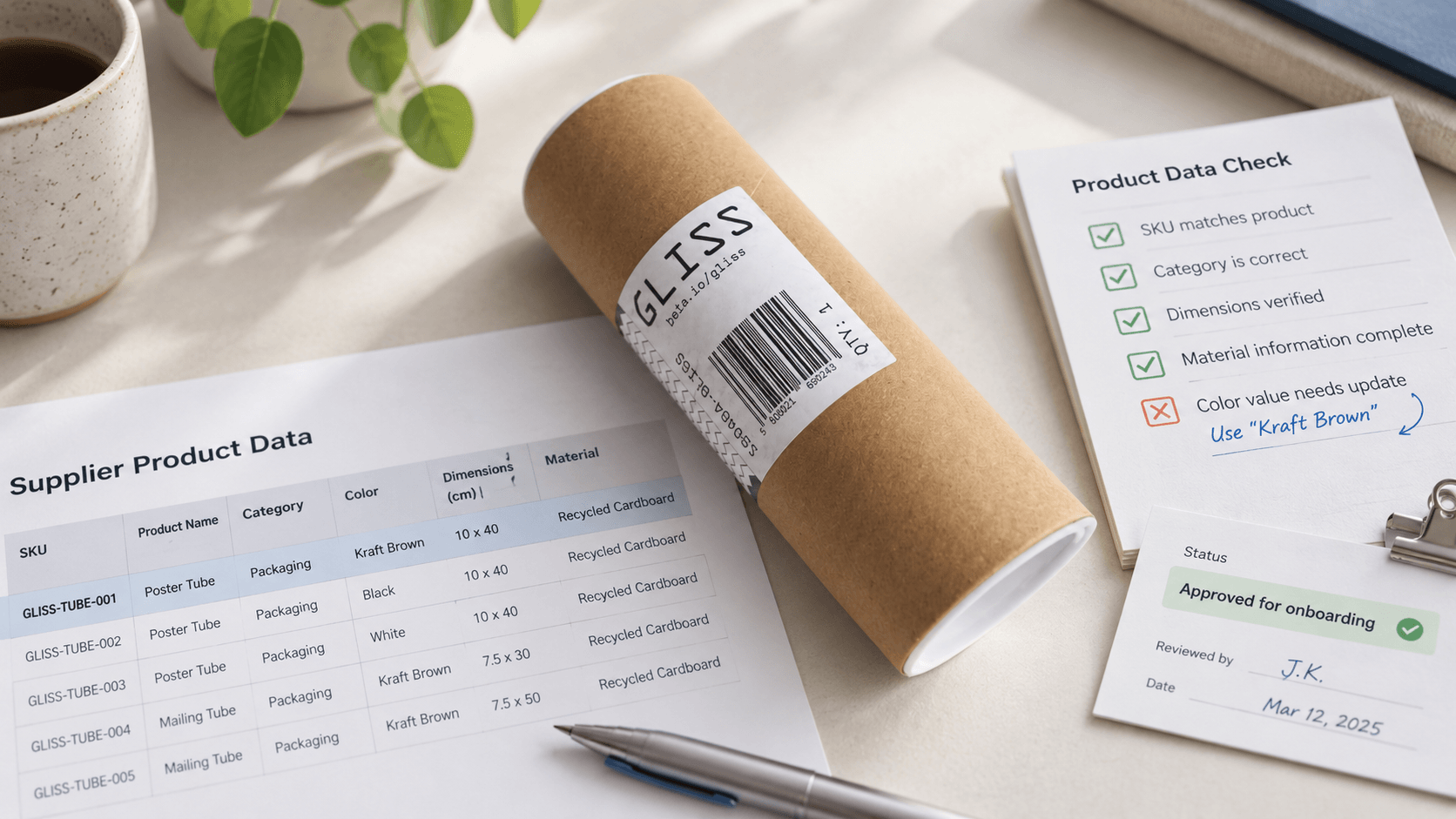
To choose supplier portal software for product data, check how it imports supplier files, validates attributes, manages approvals, and connects to your PIM. Then test those capabilities with a real supplier file and compare the full cost of implementation and ongoing use.
The distinction matters because supplier portals serve different purposes. Some focus on supplier registration, purchase orders, and invoices. Others help retailers collect product specifications, images, and documents for their catalogs. A platform that handles procurement well may still lack the tools your content team needs to prepare products for sale.
For retailers and marketplaces, the goal is to turn incoming supplier information into reliable product records without repeatedly reformatting spreadsheets or chasing corrections by email.
This guide explains what to evaluate, how to compare different approaches, and what to ask vendors before committing to a solution.
Supplier portal software gives external suppliers controlled access to a workspace where they can submit and update information for a retailer or distributor.
In a product data workflow, that information includes product identifiers, specifications, images, certificates, and other catalog content. The retailer defines the requirements and controls which submissions become approved product data.
A portal may be built into a PIM platform or connected to it as a separate application. Unapproved records can remain in a staging area or exist as drafts within the platform. What matters is that supplier submissions cannot overwrite approved or published content without the appropriate checks.
A useful product data portal should let suppliers:
The retailer’s team should be able to review those changes, return them with clear feedback, and retain a record of what was submitted and accepted.
The terms vendor portal and supplier portal are often used interchangeably. Neither name tells you whether the software supports product content, procurement, or both.
Evaluate the records the system manages and the workflow it supports.
Evaluation point | Product data portal | Procurement or accounts payable portal |
|---|---|---|
Primary users | Category, content, and e-commerce teams | Procurement, finance, and accounts payable teams |
Typical submissions | Specifications, images, product documents, and catalog updates | Company information, contracts, invoices, and transaction documents |
Main unit of work | Product, variant, or supplier offer | Supplier account, purchase order, or invoice |
Important checks | Attribute completeness, formats, identifiers, and asset requirements | Supplier information, transaction matching, and document requirements |
Common connections | PIM, DAM, e-commerce platform, and ERP | ERP, purchasing, and accounting systems |
Some platforms cover both areas. Ask the vendor to demonstrate your product data workflow instead of assuming that a broad supplier management feature list includes it.
For example, document upload alone is not enough. Your team may need suppliers to attach certificates to specific SKUs, map spreadsheet columns to category attributes, and correct individual records before approval.
A PIM supplier portal should provide a controlled route from supplier submissions to approved product information.
The portal typically handles supplier access, data collection, feedback, and submission status. The PIM typically supports enrichment, localization, channel requirements, and distribution. The exact boundary varies by product and implementation.
For reliable PIM integration, establish four things before choosing a portal:
The portal and PIM do not necessarily need identical internal data models. They do need consistent mappings and a defined process for handling changes to categories and attributes.
Ask vendors to demonstrate an update to an existing product, not only the creation of a new one. A supplier changing a dimension or replacing an image should trigger the correct validation and approval process.
A supplier portal does not automatically replace a PIM. Collection and collaboration are different responsibilities from managing enriched product information across channels, although a single platform may support both.
A business can send approved supplier data directly to an e-commerce platform or ERP if that meets its requirements. A PIM becomes valuable when product information needs more extensive enrichment, localization, governance, or channel-specific adaptation.
Similarly, a PIM can receive supplier data through APIs, feeds, and automated imports without a portal. A portal adds value when suppliers need a shared interface for correcting errors, responding to feedback, and following submission progress.
Choose the combination that removes work from your actual process.
Prioritize capabilities that reduce manual intervention and protect approved data. The following six areas provide a practical starting point.
Each supplier should have access only to the products, offers, and documents it is authorized to manage.
Within a supplier account, an administrator may invite colleagues while other users edit or submit data. Retailer permissions may follow product categories, supplier assignments, or approval responsibilities.
What to check:
If several suppliers offer the same product, test whether they can work with their own information without seeing another supplier’s commercial terms.
A portal should accommodate the files suppliers actually use. Requiring every supplier to rebuild its catalog manually can move the workload elsewhere without solving it.
Look for reusable mappings between supplier columns and your attributes. Where supported, transformations can normalize units, formats, and controlled vocabulary values.
What to check:
Ask the vendor to show the error report available to the supplier, not only the administrator’s import screen.
Required attributes should reflect the product category. A television needs different specifications from a sofa.
Requirements may also vary by channel or language. However, distinguish what suppliers must provide from information your internal team will add later.
What to check:
Completeness measures whether information is present. It does not establish whether that information is correct.
Images, manuals, certificates, and other documents should be associated with the correct products and variants.
Automated checks can identify unsupported formats, insufficient resolution, or excessive file size. Verifying that an image depicts the correct variant may require a reviewer or additional image analysis.
What to check:
The approval workflow should reflect the risk of a change. A new product may require full review, while a low-risk update may qualify for automatic approval under defined rules.
What to check:
Do not assume that an activity log provides the same protection as version comparison and recovery.
A successful import is only part of the process. Approved records must reach their destination reliably, and failures must be visible.
What to check:
For the wider product information workflow, explore HootCore PIM.
A typical product data onboarding workflow has six stages. Some systems combine stages or automate them, but ownership should remain clear.
Stage | What happens | What to verify |
|---|---|---|
Upload | A supplier submits a file or individual record | Supported formats, limits, and submission tracking |
Mapping | Incoming fields are matched to the retailer’s attributes | Reusable mappings and handling of changed file structures |
Validation | Records are checked against defined requirements | Clear errors tied to specific records and fields |
Correction | The supplier resolves errors or provides missing information | Ability to correct data without restarting the entire submission |
Approval | The retailer reviews the submission or applies approval rules | Clear responsibility and protection of approved data |
Synchronization | Approved information becomes available to connected systems | Transfer status, retries, and an audit trail |
A useful pilot measures the time and effort required at each stage. Track how many records pass the first validation, how often suppliers need help, and how long products wait for approval.
These measures reveal whether the portal reduces work or simply gives the existing process a new interface.
For more detail, see our guide to supplier data onboarding.
A supplier portal can improve product data quality by applying checks before submitted information becomes approved catalog content. The results depend on the rules configured and how exceptions are resolved.
Start with the errors your team corrects most often.
Data problem | Useful check | Important limitation |
|---|---|---|
Required field contains a dash or “see description” | Reject inappropriate placeholder values | Some attributes may legitimately be not applicable |
Measurements arrive in different units | Require explicit units and normalize supported values | Do not infer ambiguous units without confirmation |
A number is plausible in format but unrealistic | Flag values outside a category-specific range | Unusual products may require an approved exception |
A product already exists in the catalog | Match identifiers and flag potential duplicates | Variants and packaging differences must be considered |
An image is too small or unsupported | Check resolution, format, and file size | These checks do not confirm that it shows the right product |
For duplicate detection, use reliable identifiers where available. Manufacturer part numbers should be interpreted with the manufacturer or brand, and name similarity should be treated as a signal for review rather than automatic proof of a match.
When an existing product is identified, the appropriate action may be to update its data, associate a supplier offer, or request clarification. The choice depends on your catalog model.
Accurate product information also matters beyond the portal. Google documents that incorrect or missing product data can cause disapprovals, limited eligibility, or display issues in Merchant Center. That supports investing in validation, but it does not mean that any individual attribute guarantees visibility in AI-generated recommendations.
Checks may also be needed after enrichment. Our guide to validating AI-generated product attributes covers that later stage.
Compare approaches based on the process you need to support and the systems you already use.
Approach | When it may fit | Main tradeoff to investigate |
|---|---|---|
Procurement-focused portal | Supplier registration, purchasing, and financial collaboration are the main requirements | Product content modeling and validation may require additional tools |
Portal supplied with a PIM | Product data collection and enrichment should operate within one platform | Compatibility, licensing, and options if you later change PIM |
Standalone product data portal | You need supplier collaboration while retaining an existing PIM or other destination systems | Integration effort and responsibility for maintaining mappings |
Custom or no-code portal | Your workflow has requirements that available products cannot meet adequately | Development, maintenance, testing, and long-term ownership |
These categories can overlap. A procurement platform may offer catalog capabilities, and a standalone portal may include enrichment features.
For each option, ask the vendor to separate:
This distinction makes proposals easier to compare and prevents a demonstration from being mistaken for a deployment-ready solution.
Compare the total cost of running the workflow, not only the subscription.
Cost component | What to ask |
|---|---|
Software license | Is pricing based on supplier accounts, users, SKUs, storage, usage, or modules? |
Initial configuration | Who sets up categories, templates, validation rules, and permissions? |
Integrations | Which connectors are included, and what requires paid implementation? |
Data preparation | Who cleans existing records and creates initial mappings? |
Supplier onboarding | Who prepares instructions, trains suppliers, and handles early questions? |
Ongoing support | What support is included, and who investigates import or synchronization failures? |
Future changes | What does it cost to add categories, channels, languages, or new workflows? |
Exit and migration | Can you export products, assets, mappings, and submission history? |
Ask each shortlisted vendor to estimate costs against the same assumptions: supplier count, catalog size, upload frequency, asset volume, and required integrations.
A practical comparison is:
First-year cost = license + setup + integration + data preparation + training + internal implementation effort.
Compare that with the cost of the current process using your own measurements, such as time spent preparing files, correcting records, and following up with suppliers. Avoid treating every saved hour as a direct cash saving unless it changes staffing or external costs.
 How Long Does Supplier Portal Implementation Take?
The timeline depends on your data model, integrations, approval requirements, and supplier readiness. A pilot using an existing category structure has different requirements from a rollout that also introduces a new PIM or rebuilds the taxonomy.
Ask for a phased plan covering configuration, integration testing, supplier training, the pilot, and broader rollout. Each phase should have an owner and an acceptance criterion.
Is HootCore the Right Fit for Your Supplier Product Data Workflow?If you are evaluating HootCore, use the same checklist to discuss your requirements. Explain which systems you want to retain, how suppliers currently send data, and where your team spends time correcting or approving it.
Ask the team to distinguish what is available in the product from what your implementation would need to configure or integrate.
We will show how it moves through the HootCore Supplier Portal, from upload to an approved product in the PIM.

Talk to our team and see how HootCore fits into your existing stack, from product data management to order fulfillment.